ProFlow.
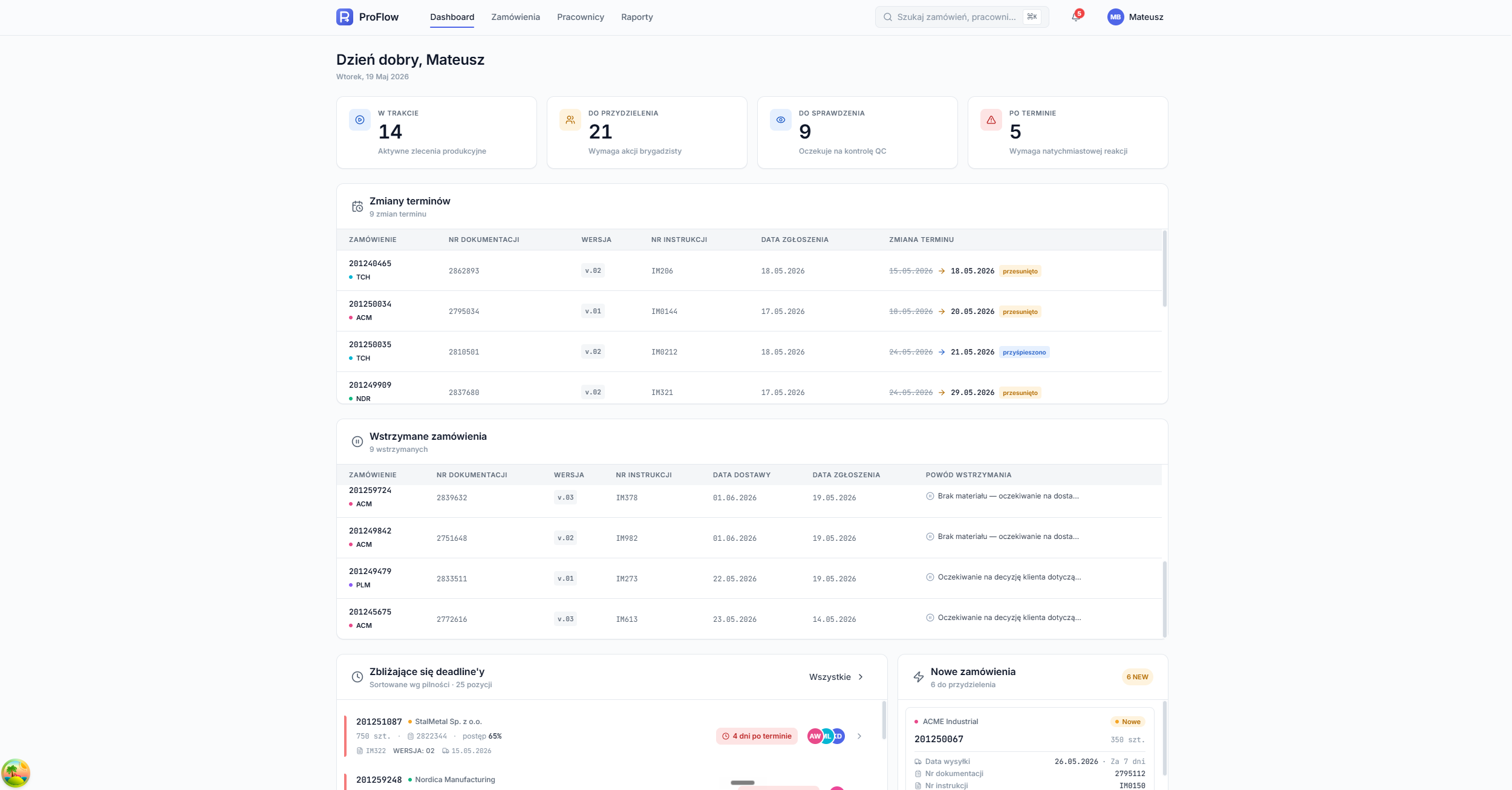 Foreman dashboard
ProFlow connects the production floor with the office — one place where orders arrange themselves into a plan and work reaches the right hands.
The foreman and the office had been working off separate spreadsheets, phone calls and paper notes. ProFlow brings it together into a single dashboard: the manager enters orders and the system automatically sorts them and spreads them across the individual months — no manual sorting.
Every change is visible immediately. When a new order comes in, a deadline shifts or something gets cancelled, the foreman is notified and knows what needs a response the very same day.
Stage — early version •Orders that arrange themselves.
Once the office enters an order it automatically lands in the right month and receives a status and a deadline. The list groups itself — May, June, and so on — and colour immediately shows what is overdue.
Every row carries the company, document number, revision, instruction code, quantity and assignment. Expanding an order reveals the assigned workers and their individual progress.
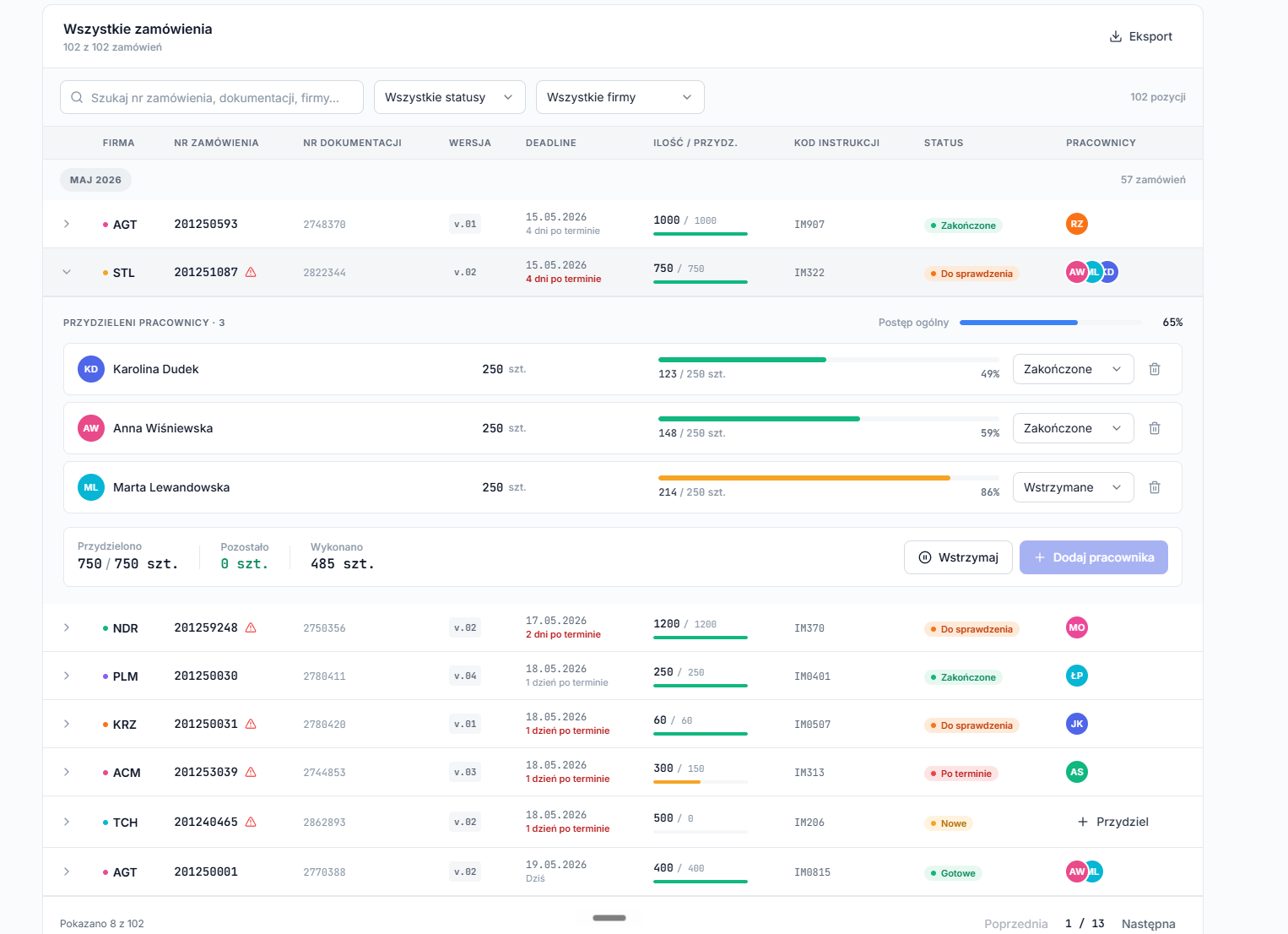 All orders
Dividing work in a few clicks.
The foreman picks a worker, sets the quantity and assigns part of the order. The Whole, ½, ⅓ and Even shortcuts split the work instantly, and a note passes on priority or technical remarks.
Each person's progress updates continuously — you can see who is finishing, who is waiting and which order needs to be put on hold.
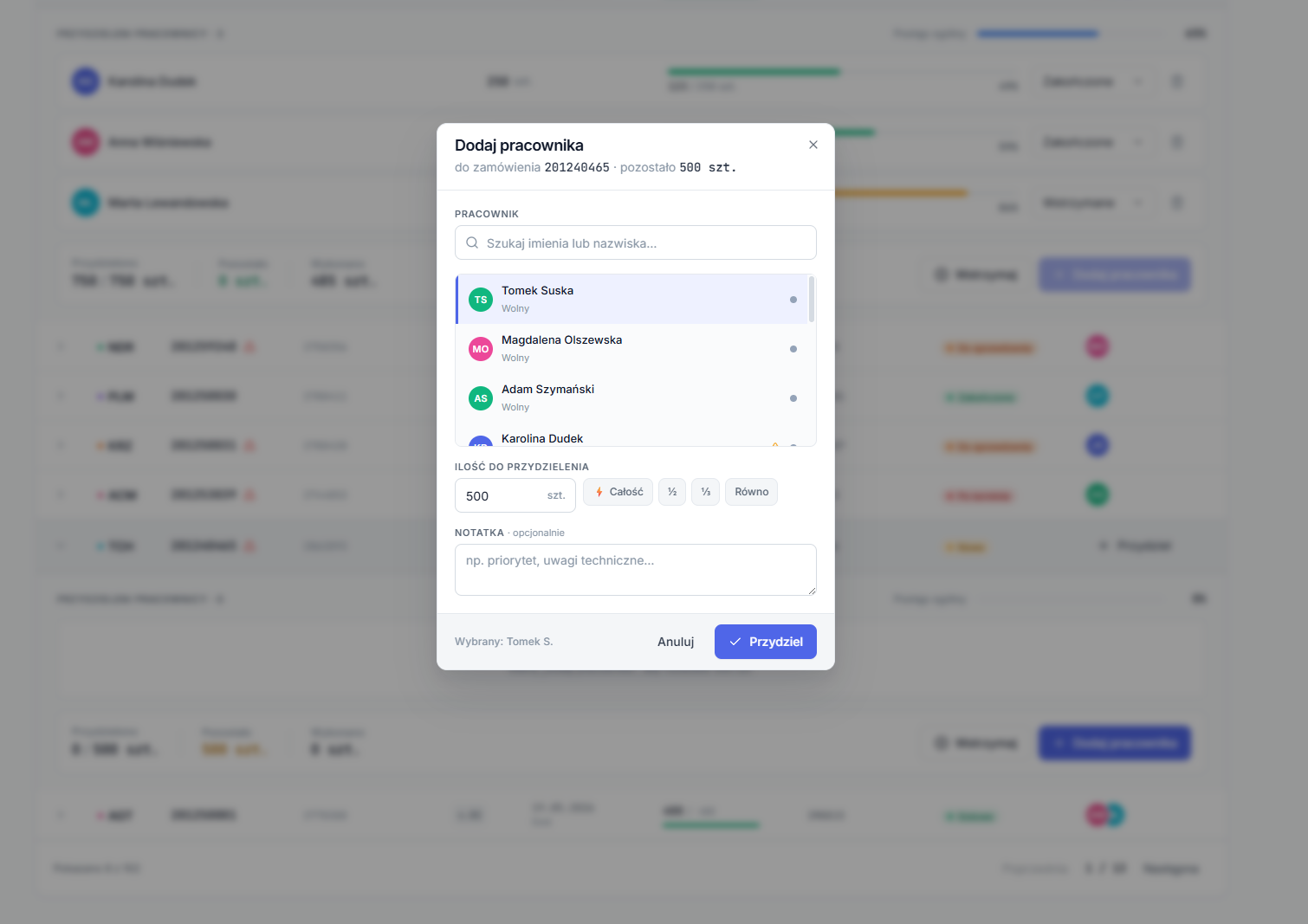 Add worker
The manager enters an order — the rest happens on its own.
Everything within sight.
Upcoming deadlines, new orders to assign, imminent shipments and team workload — gathered on a single dashboard and sorted by urgency. The foreman starts the day from one screen.
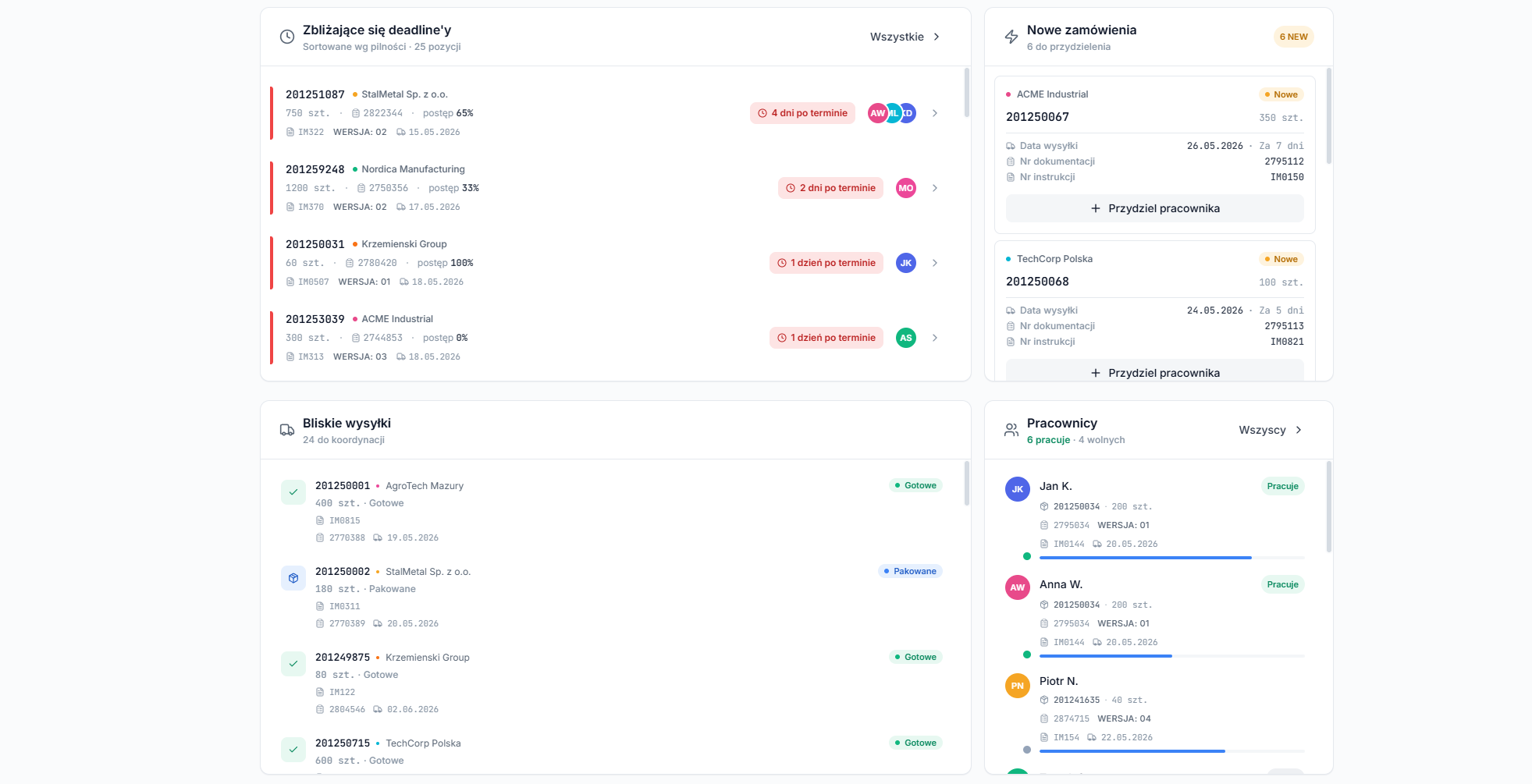 Dashboard widgets
Automatic sorting
New orders go straight into the right month and receive a status — with no manual tidying up.
Notifications
Word of every new order, deadline change and cancellation — the moment the office enters it.
Splitting the work
Assign an order to one or several people, with quantity splits, shortcuts and a note.
Live progress
Progress of the whole order and of each worker, updated in real time.
Holds
Orders put on hold with a stated reason — missing material, client decision — along with the date it was raised.
QC and shipments
“To check” QC statuses, shipments ready to go and overdue deadlines highlighted in colour.